
BeamNG.drive Tips and Guides: From Beginner Driving to Advanced Vehicle Control
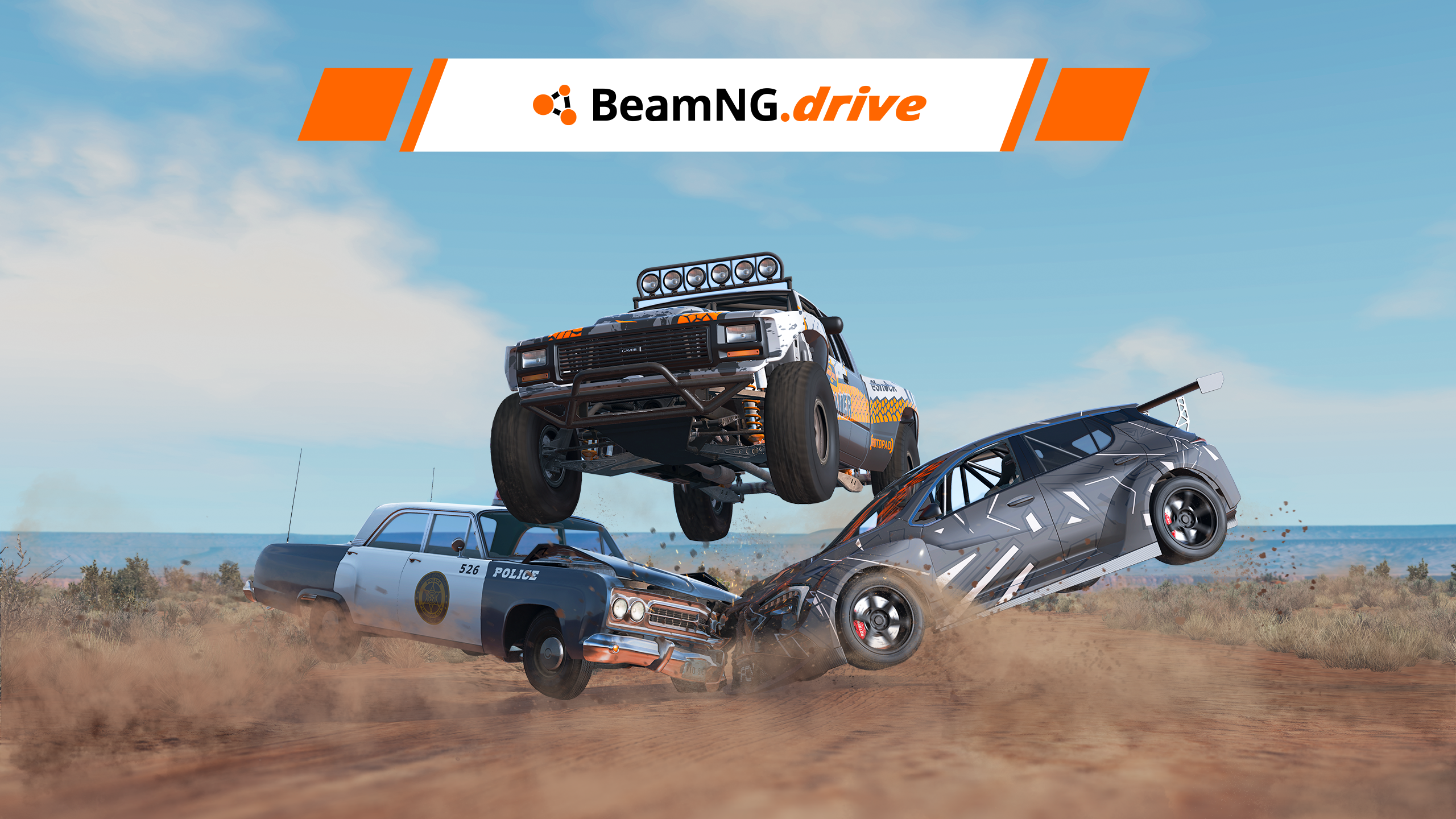
BeamNG.drive is a driving simulation game known for its realistic vehicle physics, detailed environments, and highly advanced soft-body damage system. Unlike traditional racing games that focus mainly on speed and competition, BeamNG.drive allows players to explore how vehicles behave under different driving conditions. Cars can deform during collisions, suspension reacts to uneven terrain, and even relatively small driving mistakes can affect a vehicle's performance.
The game offers much more than crashing cars. Players can explore large maps, complete driving challenges, participate in time trials, customize vehicles, build their own tracks, and experiment with different scenarios. Whether you prefer high-speed racing, off-road exploration, realistic driving, or spectacular crash tests, there are plenty of ways to enjoy the experience.
However, BeamNG.drive can initially feel complicated, especially for players unfamiliar with vehicle simulation. Learning the controls, understanding different camera modes, choosing suitable vehicles, and adjusting configurations can make a significant difference. This guide covers essential BeamNG.drive tips in four main stages, from getting started and improving driving skills to vehicle customization, advanced gameplay, and mod management.
1. Getting Started: Learn the Basics of BeamNG.drive
1.1 Understand the different game modes

One of the first things new players should understand is that BeamNG.drive does not follow a single fixed progression system. Instead, it offers several game modes designed for different driving experiences. You can freely explore maps, complete structured challenges, test vehicle performance, or create your own driving environments.
Freeroam is an excellent starting point because it gives you control over the vehicle, map, and driving conditions. You can choose a car, spawn it at a preferred location, and experiment without following a strict mission objective. This mode is particularly useful for learning how vehicles respond to acceleration, braking, steering, and collisions.
Scenarios provide a more structured experience. They usually involve specific objectives, such as completing a route, transporting something, navigating difficult terrain, or reaching a destination under certain conditions. Time Trials focus on completing routes as efficiently as possible, allowing players to improve their driving consistency and compare their results.
Other modes and features offer additional variety:
- Campaigns: A collection of activities with specific objectives and progression.
- Garage: A place to inspect vehicles, change components, and adjust configurations.
- Bus Mode: Driving challenges that involve handling larger vehicles and navigating demanding routes.
- Track Builder: A tool for creating custom driving tracks and testing them.
- Light Runner: A specialized driving experience involving elevated tracks and unusual layouts.
Rather than trying everything immediately, start with Freeroam and simple scenarios. Once you understand the basic driving mechanics, explore other modes according to your interests. The official beginner's guide also recommends starting with simpler scenarios before moving towards more difficult challenges.
BeamNG.drive+1
1.2 Learn the essential controls and camera settings
Steam Community :: BeamNG.drive

Learning the controls is essential because BeamNG.drive places considerable emphasis on how you operate a vehicle. Acceleration, braking, steering, gear changes, and vehicle recovery all influence the driving experience. Players using a keyboard may find the controls straightforward initially, but precise driving can become more challenging when navigating corners or controlling powerful vehicles.
Camera settings are equally important. BeamNG.drive offers several perspectives, including cockpit, external, chase, orbit, and free camera views. Each serves a different purpose. Cockpit view is useful for practicing realistic driving, while chase view provides a better overview of the vehicle during turns. Free camera is particularly helpful when inspecting damage or capturing screenshots.
A good beginner setup is to use chase or external camera mode while learning a new vehicle. Once you become more comfortable with its handling, switch to cockpit view for a more immersive experience. You can also experiment with different camera angles to find the perspective that gives you the clearest view of the road.
1.3 Choose your first vehicle and map carefully

The vehicle you choose can strongly influence your first experience. BeamNG.drive includes different vehicle types, from compact everyday cars and sports cars to trucks, buses, and off-road vehicles. Each has different characteristics, including weight, engine power, drivetrain, suspension, and braking performance.
For beginners, a relatively lightweight car with moderate power is usually easier to control than a high-performance vehicle. Powerful cars can accelerate quickly and may lose traction when the throttle is applied too aggressively. Starting with a more manageable vehicle gives you time to learn how steering and braking affect stability.
You should also choose a suitable map. Some environments feature wide roads and open spaces, while others contain narrow mountain routes, dirt tracks, industrial areas, or challenging racing circuits. A map with simple roads and plenty of room is ideal for practicing basic driving techniques.
Before choosing a vehicle, consider what you want to do:
- For everyday driving, choose a standard road car with predictable handling.
- For racing, look for a vehicle with suitable tires, suspension, and braking.
- For off-road exploration, choose a vehicle with appropriate ground clearance and drivetrain.
- For crash testing, use vehicles and environments that allow you to experiment safely.
- For transporting cargo, select a suitable truck or utility vehicle.
Do not assume that the most expensive or powerful vehicle is automatically the best choice. A vehicle that matches your driving objective will usually provide a more enjoyable and manageable experience.
2. Improve Your Driving Skills and Understand Vehicle Physics
2.4 Practice acceleration, braking, and cornering

Driving quickly in BeamNG.drive requires more than pressing the accelerator. Because the game simulates vehicle dynamics, aggressive inputs can make a car unstable, particularly when entering corners at high speed. Learning how to control acceleration, braking, and steering smoothly is one of the most valuable skills for beginners.
Start by practicing on a straight road. Accelerate gradually, observe how the vehicle responds, and apply the brakes before reaching a corner. Avoid waiting until the last moment to brake, as doing so may cause you to lose control or run wide. Once you become comfortable with straight-line driving, practice turning at different speeds and gradually increase your pace.
Cornering requires coordination between braking, steering, and acceleration. Entering a turn too quickly can cause understeer, where the vehicle does not turn as much as expected. Applying too much power while exiting a corner can also cause the rear wheels to lose traction, resulting in oversteer. Both situations require controlled inputs rather than sudden corrections.
Basic driving habits to develop
- Brake progressively before entering a corner.
- Avoid steering sharply while accelerating heavily.
- Look ahead and anticipate changes in road direction.
- Apply throttle smoothly when exiting turns.
- Reduce speed when approaching unfamiliar roads.
- Practice the same route repeatedly to understand vehicle behaviour.
You can also use Time Trials to improve consistency. Instead of focusing only on achieving the fastest time, try completing several clean laps without major mistakes. Once you can control the vehicle reliably, work on reducing braking distances and improving cornering speed.
2.5 Understand traction, weight transfer, and vehicle damage

One of BeamNG.drive's most distinctive features is its soft-body physics system. Vehicle components are represented through a structure that can deform under physical forces. This creates detailed crash behaviour and allows damage to affect how a vehicle performs after an impact.
Understanding the relationship between traction and weight transfer can help you drive more effectively. When you accelerate, brake, or turn, the distribution of forces across the vehicle changes. Heavy braking shifts load towards the front wheels, while acceleration can transfer load towards the rear. These changes influence grip, steering response, and stability.
Traction is also affected by the tires, road surface, vehicle setup, and driving inputs. A vehicle with powerful acceleration may struggle to put its power down on a slippery surface. Similarly, a car with unsuitable tires may have difficulty maintaining grip during hard cornering.
Damage can make these effects even more noticeable. A collision may damage suspension components, wheels, steering, or the drivetrain. Even if the vehicle remains movable, it may no longer handle as it did before the impact.
What to check after a collision
- Observe whether the vehicle pulls to one side.
- Check whether the wheels appear misaligned.
- Pay attention to unusual engine or mechanical behaviour.
- Monitor the vehicle damage interface.
- Consider resetting or recovering the vehicle if it is no longer practical to drive.
The vehicle damage app can help you identify problems with different systems. Learning to read this information makes it easier to understand why a car behaves differently after an accident. Rather than treating every collision as purely visual, pay attention to how damage changes the driving experience.
2.6 Use different driving techniques for different environments

Not every vehicle should be driven in the same way. A compact road car, a powerful sports car, and an off-road truck respond differently to the same driving inputs. Adjusting your technique according to the vehicle and environment is essential for maintaining control.
On paved roads, smooth steering and progressive braking are usually effective. On dirt roads, loose gravel, or muddy terrain, traction becomes less predictable. You should reduce speed, avoid sudden steering movements, and be careful when applying power. Vehicles designed for off-road driving may handle these surfaces better, but they can still become stuck or lose stability if driven carelessly.
Mountain roads introduce another challenge. Steep gradients and tight corners require careful speed management, particularly when driving heavy vehicles. Braking continuously during a long descent can also create problems, so plan your speed before approaching steep sections and use suitable gearing when available.
Different situations call for different techniques:
- Highway driving: Maintain a stable speed, leave sufficient space, and anticipate traffic.
- Mountain driving: Slow down before tight corners and avoid aggressive steering.
- Off-road driving: Choose a suitable vehicle and maintain controlled throttle input.
- Racing circuits: Learn braking points and focus on consistent cornering.
- Heavy vehicle driving: Allow more room for turning and braking.
Experimenting with these techniques in Freeroam is useful because you can repeat the same route with different vehicles. Over time, you will understand which configurations work best for each environment.
3. Customize Vehicles and Explore Advanced Gameplay
3.7 Customize vehicles and save your preferred configurations

Vehicle customization is one of the most enjoyable parts of BeamNG.drive. The game allows you to change different components, modify the appearance of vehicles, and adjust selected mechanical settings. These options make it possible to create vehicles for specific purposes rather than relying entirely on the default configurations.
To begin customizing a vehicle, open the Vehicle Config menu and access the parts selector. The available components depend on the vehicle and the parts already installed. For example, selecting a particular engine or drivetrain may determine which additional components can be used.
You can experiment with several areas:
- Engine: Change available engine configurations and related components.
- Transmission: Adjust gearbox options and drivetrain characteristics.
- Suspension: Select components suited to different driving conditions.
- Tires and wheels: Choose equipment appropriate for road, racing, or off-road use.
- Body components: Modify selected exterior parts and vehicle appearance.
- Paint and decals: Personalize the vehicle's visual design.
The tuning menu provides additional adjustments when compatible parts are installed. Racing suspension and drivetrain components, for example, may unlock settings that are unavailable with standard road equipment.
Save configurations for future sessions
Once you have created a vehicle setup that you enjoy, save it so you can reuse it later. This is particularly helpful if you frequently switch between different driving activities. You might create one configuration for everyday road driving, another for racing, and a third for off-road exploration.
Avoid changing too many components at once when experimenting. If you replace the engine, suspension, tires, and drivetrain simultaneously, it becomes difficult to identify which modification caused a change in handling. Instead, adjust one area, test the vehicle, and compare the results before making further changes.
3.8 Explore scenarios, time trials, and vehicle challenges

Freeroam provides freedom, but structured activities are useful when you want a specific objective. Scenarios introduce challenges that test different driving abilities, such as controlling a vehicle on difficult roads, reaching a destination, or completing a task under particular conditions.
For beginners, simple scenarios are a good way to develop confidence. They provide clear objectives and encourage you to understand how a vehicle behaves in specific situations. As your skills improve, you can attempt more demanding challenges that require accurate steering, careful speed control, and better awareness of the environment.
Time Trials are particularly useful for players who enjoy racing. They allow you to focus on improving your performance on a specific route. Rather than competing against other drivers in every session, you can compare your own times and work towards cleaner, more consistent runs.
How to get more value from challenges
Choose activities that target skills you want to improve. If you struggle with cornering, select routes with several turns. If you want to become better at controlling heavy vehicles, try bus or truck-related activities. If you enjoy precision driving, look for challenges involving narrow roads or difficult terrain.
You can also repeat completed activities with different vehicles. A route that feels easy in a compact car may become much more challenging in a heavy truck or a high-powered sports car. This creates opportunities to learn without needing to find a completely new activity every time.
3.9 Use AI traffic, the environment, and replay tools creatively

BeamNG.drive offers several tools that allow you to create more varied driving situations. AI traffic can introduce other vehicles into the environment, making ordinary roads feel more active. Depending on the available settings, you can spawn traffic, adjust AI behaviour, and experiment with different driving situations.
Traffic is useful for practicing everyday road awareness. You can follow other vehicles, maintain safe distances, and observe how your car behaves in a busier environment. You can also create your own situations for testing vehicle performance or capturing cinematic scenes. However, traffic density and AI behaviour can affect performance, so adjust the settings according to your computer.
The environment menu provides further opportunities to experiment. You can change conditions such as the time of day, weather, and gravity. These settings can create different driving challenges and help you understand how the environment influences visibility and vehicle control.
Replay tools and camera settings are especially useful for reviewing your driving. After completing a difficult route or experiencing a crash, replay the event and observe what happened. You may notice that you entered a corner too quickly, applied too much throttle, or made a steering correction too late.
Creative ways to use these features
- Create a traffic-filled road and practice driving smoothly.
- Compare the same vehicle under different environmental conditions.
- Use replay to review mistakes after a race or crash.
- Experiment with different camera angles for cinematic recordings.
- Test several vehicles on the same route to compare their handling.
These tools turn BeamNG.drive into more than a conventional driving game. They allow players to experiment, create their own challenges, and explore the simulation from different perspectives.
4. Optimize Performance, Install Mods, and Improve Your Experience
4.10 Install mods safely and keep the game running smoothly

Community mods are a major part of the BeamNG.drive experience. They allow players to explore additional vehicles, maps, scenarios, props, and other content created by the community. If you have already explored the standard vehicles and environments, mods can introduce new ways to enjoy the game.
The safest starting point is the in-game Repository, which provides access to community content through the game's interface. You can browse available mods, download the ones you like, and manage them through the mod manager. The official documentation also provides guidance on installing and using community modifications.
BeamNG.drive+1
Choose mods that match your interests
Before downloading anything, consider what kind of content you want to add:
- Vehicle mods: Introduce additional cars, trucks, buses, and other vehicles.
- Map mods: Provide new roads, cities, racing circuits, and off-road environments.
- Scenario mods: Add missions and driving challenges.
- Prop mods: Introduce additional objects for testing and creative experiments.
- Customization mods: Offer additional visual or mechanical options for supported vehicles.
Not every mod has the same level of quality or compatibility. Some community creations are highly detailed, while others may contain bugs, incomplete features, or outdated components. Check the description and available feedback before installing unfamiliar content.
Be especially careful with third-party websites. Downloading files from unknown sources can create security risks or introduce content that does not work correctly. Using the official Repository whenever possible is a sensible way to reduce these risks.
Avoid installing too many mods at once
Although it may be tempting to download dozens of vehicles and maps, activating too many modifications can affect game performance and stability. Some mods may also conflict with one another or become incompatible after a game update.
A better approach is to install a few mods at a time. Test each one before adding more, and disable or remove content that causes unexpected behaviour. Keep your active mod collection organized so you can identify potential problems more easily.
If the game begins crashing, loading slowly, or displaying unusual behaviour after installing mods, try disabling recently added content. BeamNG.drive also provides troubleshooting options such as Safe Mode and cache clearing, which can help investigate problems.
BeamNG.drive
Improve graphics and performance without sacrificing the experience

BeamNG.drive can be demanding on computer hardware because it simulates detailed vehicle physics, deformation, and complex environments. Performance may vary depending on the map, vehicle configuration, traffic density, graphics settings, and the number of active vehicles.
If you experience low frame rates, start by reviewing the graphics settings. Reducing demanding visual options can improve performance, particularly on systems with limited graphics processing power. You can also test the game with fewer vehicles and less AI traffic to identify whether the issue is related to the simulation load.
Avoid changing every setting at once. Adjust one or two options, restart or reload the relevant environment if necessary, and compare the results. This makes it easier to identify which settings have the greatest impact on performance.
Practical performance tips
- Reduce demanding graphics settings if frame rates are unstable.
- Avoid spawning too many vehicles simultaneously.
- Use simpler maps when testing performance.
- Disable mods that cause crashes or unexpected behaviour.
- Keep the game updated through its official distribution platform.
- Check the official troubleshooting documentation if problems continue.
It is also important to distinguish between graphics performance and simulation performance. A scene may look visually demanding because of its environment, while a large number of active vehicles can create additional simulation work. If performance drops only when spawning multiple cars, reducing the number of vehicles may help more than changing visual settings.
Set realistic goals and develop your own driving style
BeamNG.drive does not require players to follow a single progression path. Some enjoy racing and improving lap times, while others prefer exploring maps, customizing vehicles, recreating accidents, or recording cinematic driving videos. The freedom to experiment is one of the game's biggest strengths.
If you are unsure what to do next, create small objectives for each session. You could learn to drive a new vehicle, complete a difficult scenario, build a custom track, test a suspension configuration, or explore a map you have not visited before. These goals provide direction without limiting the freedom of Freeroam.
You can also develop a personal collection of vehicle configurations. Keep a reliable everyday car, a dedicated racing vehicle, an off-road setup, and any unusual creations you enjoy testing. Saving configurations makes it easier to switch between different activities without rebuilding your vehicles each time.
Most importantly, treat mistakes as part of the learning process. Losing control during a corner, damaging a suspension component, or failing a difficult challenge can reveal something about the vehicle's behaviour. Review what happened, make adjustments, and try again. The more you experiment, the better you will understand the simulation.
Conclusion
BeamNG.drive offers a wide range of driving experiences, from realistic road exploration and competitive time trials to vehicle customization and detailed crash experiments. For beginners, the best approach is to learn the basic controls, choose a manageable vehicle, and start with simple maps and scenarios. Once you become comfortable with acceleration, braking, steering, and camera settings, you can gradually explore more demanding driving challenges.
Understanding vehicle physics is equally important. Traction, weight transfer, suspension behaviour, and damage all influence how a car responds on the road. Customizing vehicles, saving configurations, experimenting with AI traffic, and reviewing replays can help you develop more advanced skills and discover new ways to enjoy the game.
Finally, community mods and performance adjustments can expand the experience even further. Install modifications carefully, keep your game organized, and choose settings that suit your computer. Whether you want to become a better driver, build unique vehicles, or simply enjoy the freedom of an open driving simulation, BeamNG.drive provides plenty of opportunities to experiment and improve at your own pace.